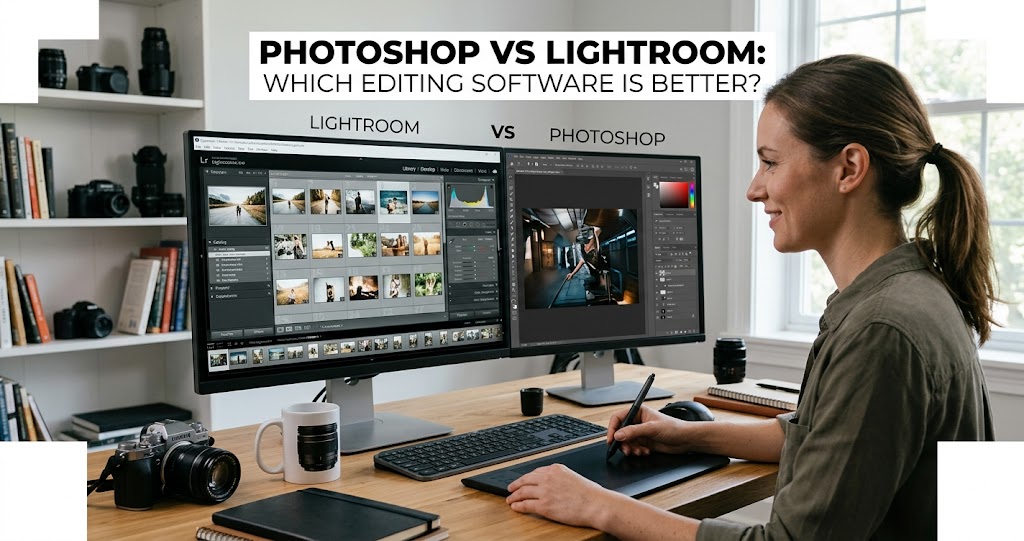
In 2026, choosing between Photoshop and Lightroom is no longer a routine software decision—it's a strategic one . Adobe Firefly has matured into a genuinely intelligent creative partner, reshaping how digital artists work rather than simply accelerating existing workflows . The real question now is how these tools align with your actual production needs.
Both programs sit at the center of modern visual creation, but their roles have become more clearly defined . Today's software doesn't just respond to commands; it collaborates through agentic AI . You need to decide whether your work demands fast, high-volume image management or precise, hands-on control at the pixel level .
This comprehensive guide breaks down the differences, strengths, and ideal use cases for Photoshop and Lightroom in 2026, helping you make the right choice for your photography journey.
Quick Overview: What Each Does Best
Adobe Lightroom
The photographer's workflow hub
- Non-destructive RAW editing
- Powerful photo organization and library management
- Batch processing and preset syncing
- Global color grading and exposure adjustments
- AI-powered masking for skies, people, and landscapes
- Cloud sync across devices
Adobe Photoshop
The pixel-level precision tool
- Layer-based compositing and masking
- Advanced retouching (frequency separation, healing)
- Generative AI tools (Generative Fill, Neural Filters)
- Object removal and seamless compositing
- Typography and graphic design
- Precise selection tools and pixel-level control
Detailed Feature Comparison
Lightroom vs Photoshop: Feature-by-Feature
What Is Adobe Lightroom?
1 Lightroom: The Photographer's Command Center
Adobe Lightroom is a photo editing and management program designed mainly for photographers who work with large collections of images . It provides a clean and intuitive workspace that focuses on organization, quick adjustments, and efficient editing without overwhelming users with complex tools .
Non-destructive editing is central to Lightroom. Every change you make is stored as an instruction rather than permanently altering the image . You can always return to the original file at any time, which gives beginners and professionals confidence to experiment freely .
One of Lightroom's strongest features is its ability to handle thousands of photos at once . The library system allows you to sort, rate, label, and group images in a very organized way . This makes it ideal for travel photographers, event photographers, and anyone who needs a fast and reliable method to manage large batches of pictures .
PCMag's 2026 review gives Lightroom Classic a 5.0 rating, calling it "exemplary" and "near perfection" . The 2026 updates include Assisted Culling, which automatically identifies the sharpest and strongest compositions, dramatically shortening the selection process for large shoots .
What Is Adobe Photoshop?
2 Photoshop: The Pixel-Level Master
Adobe Photoshop is the world's most capable image editing software, with mind-blowing AI effects, strong collaboration features, and unmatched auto-selection tools, all in a helpful and polished interface . PCMag gives it a 5.0 "Exemplary" rating, noting its vast set of photo correction and manipulation tools .
Unlike Lightroom, Photoshop is built for deep control over every pixel within an image . It is widely used by photographers, designers, retouchers, digital artists, and anyone who needs advanced editing capabilities .
Key strengths include:
- Layer-based editing and advanced masking
- Professional retouching tools (clone stamp, healing brush, frequency separation)
- Generative AI with Firefly (Generative Fill, Neural Filters)
- Compositing multiple images seamlessly
- Typography and graphic design capabilities
Photoshop is also the industry standard for image manipulation . If you've seen a magazine ad featuring a model, you've probably seen the effects of Photoshop .
Key Differences Explained
3 Editing Philosophy
Lightroom is built for non-destructive editing. Every change is stored as metadata, never altering your original RAW file . This allows infinite experimentation and easy reversion.
Photoshop focuses on pixel-level editing. You can adjust or replace individual elements with precision . This includes object removal, skin retouching, compositing, and digital painting .
4 Organization and Workflow
Lightroom includes a robust library system with folders, collections, star ratings, flags, and keywords . This makes it simple to manage large projects, track edits, and find images quickly . Face recognition helps automatically tag people .
Photoshop works on individual files. While excellent for detailed edits, it has no built-in system to organize large collections . Users often need Bridge or manual file management .
5 Batch Processing
Lightroom excels at efficiency. You can apply adjustments to one image and quickly copy them to others . Presets can be applied across hundreds of images in seconds .
Photoshop is time-intensive for multiple images. Batch editing is possible using actions or scripts, but it's more technical and time-consuming .
6 AI Capabilities in 2026
Lightroom 2026 AI Features:
- Assisted Culling: Automatically flags out-of-focus shots and closed eyes
- AI Landscape Masking: Auto-detects snow, sky, vegetation, and architecture
- Generative Remove: Powered by Firefly
Photoshop 2026 AI Features:
- Generative Fill: Create new content from text prompts
- Neural Filters: Advanced portrait retouching and colorization
- Generative Upscale: Topaz-powered upscaling to 4K
- Harmonize: Aligns lighting and color across different sources
Real-World Use Cases
Wedding & Event Photography
Wedding photographers often return with thousands of RAW files . Lightroom's Assisted Culling dramatically shortens the selection process . Once keepers are selected, signature presets can be applied across the entire gallery in seconds .
This is why Lightroom continues to function as the central command hub for high-volume event photography .
Commercial & Portrait Photography
Commercial product photography demands precision . Photoshop shines with tasks like focus stacking, advanced masking, and micro-level cleanup . The Remove Tool automatically eliminates distractions like cables or dust .
This degree of granular control ensures final images meet strict commercial standards .
Pricing and Plans
Adobe's 2026 Subscription Plans
The legacy 20GB plan is no longer available for new users . For most photographers, the Photography (1TB) plan offers the best value, providing both apps and ample cloud storage .
Pros and Cons at a Glance
Lightroom Pros
- Excellent photo management and organization
- Powerful non-destructive RAW editing
- Batch processing with presets
- AI-powered masking (sky, people, landscapes)
- Facial recognition and geo-tagging
- Capable mobile apps with cloud sync
Lightroom Cons
- No layer-based compositing
- Syncing photos to cloud isn't straightforward
- No local printing or plug-in support (cloud version)
- Learning curve for catalog management
Photoshop Pros
- Industry standard for image manipulation
- Vast set of correction and manipulation tools
- Cutting-edge generative AI (Firefly)
- Unlimited layers and advanced masking
- Powerful retouching and compositing
- Rich typography and drawing tools
Photoshop Cons
- Steep learning curve
- Subscription-only (no perpetual license)
- Runs many processes in background
- Batch editing not straightforward
- No built-in asset management
Which Should You Choose?
7 Decision Guide
Choose Lightroom if:
- You shoot large volumes (weddings, events, travel)
- You need to organize thousands of photos efficiently
- Your edits are mostly global (exposure, color, presets)
- You want a fast, streamlined workflow
- You're a beginner starting with photography
Choose Photoshop if:
- You need pixel-level precision and retouching
- You're creating composites or manipulating images
- You work on commercial/product photography
- You need advanced AI generation (Generative Fill)
- You do graphic design or typography work
Choose both (Photography Plan) if: You're a professional photographer who needs organization, batch processing, AND detailed retouching capabilities. This is the gold standard for serious photographers .
Your Decision Checklist
Final Thoughts
Choosing between Photoshop and Lightroom in 2026 is less about picking sides and more about combining human craft with intelligent automation . Lightroom continues to excel where speed, scale, and advanced asset management are essential, while Photoshop remains unmatched when it comes to pixel-level precision and complex visual compositing .
For modern professionals, a hybrid workflow is no longer optional—it's the standard . Start your projects in Lightroom to establish structure, consistency, and momentum, then move your standout "hero" images into Photoshop for deeper refinement . Within Adobe's 2026 ecosystem, ethical creation and authentic content take priority, ensuring that work built with these tools remains credible, trusted, and valuable in an increasingly automated digital landscape .