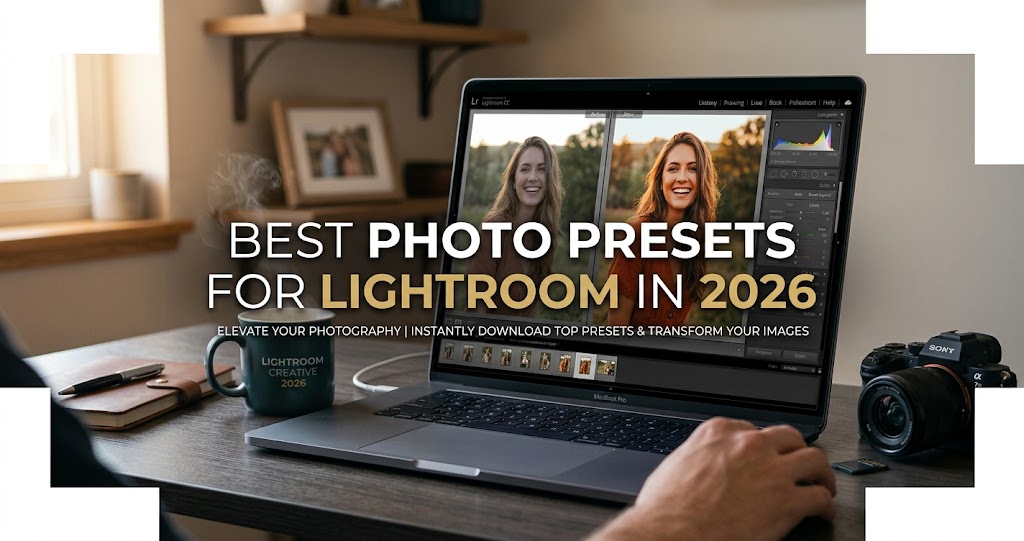
In 2026, editing is no longer about adding style. It's about building identity. Clients expect consistency, social platforms reward cohesive feeds, and brands are defined by color language . That's why presets are no longer optional—they're structural tools .
Lightroom presets are pre-configured settings that adjust parameters like exposure, contrast, color tones, shadows, and highlights with a single click . They save time, streamline your workflow, and help you achieve consistent, professional-quality results across your entire portfolio .
This guide curates the best Lightroom presets for 2026, from free downloads to professional film emulation packs, organized by style and use case.
Quick Reference: Top Preset Styles 2026
Find Your Perfect Preset
1. Film Emulation Presets (The 2026 Standard)
🎞️ Authentic Analog Looks
Film emulation presets meticulously replicate the aesthetic qualities of iconic films from Kodak, Fujifilm, and Agfa . In 2026, these are the most popular category because they preserve natural skin tones, protect highlight roll-off, and stay consistent across different lighting conditions .
Fast Film FREE
Adds soft halation to highlights and a mild texture that recalls printed film scans. Superb for travel, lifestyle, and environmental portraits .
Portra 400 / ISO 400 FREE
Inspired by Kodak Portra 400—gently warms images without messing up skin. Balanced contrast, exceptional skin-tone accuracy .
Fuji Astia / Fuji Film
Underrated gem in Fujifilm's lineup. Subtly makes photographs beautiful—flattering and natural tones . Cooler palette with elegant grain and clean whites .
Kodachrome FREE
Channel the legendary Kodachrome 64. Delivers rich reds, deep blues, and crisp micro-contrast for that iconic "National Geographic" look .
Kodak Gold 200
Warm, rich color saturation. The TCP Classic Mini Lab 2026 Gold Edition offers two versions—Frontier SP3000 and Noritsu HS1800 scanner emulations .
London Film by Julia Trotti
Shines on documentary and street work with warm, grain-infused tones. Particularly good with softer ambient light and natural shadows .
Also notable: 35mm Film Preset (subtle graininess, classic cinema look) , Fuji Pro Film (cooler palette, clean whites) , Chroma Film (luminous highlights, glossy finish) .
2. Portrait Presets
📸 Flattering Skin, Professional Polish
Portrait presets are designed to preserve natural skin tones while adding a polished, professional finish. In 2026, the best ones protect skin from orange or muddy casts .
Natural Portrait FREE
Perfect for bringing out the natural beauty of models. Organic glow and specially adjusted shadows and highlights .
Contrast Noir FREE
Challenges the misconception that B&W portraits are dull. Adds stylish contrast that makes portrait subjects stand out from their backdrops .
Cosmic Dancer FREE
Versatile preset designed to make colors pop in portrait photography. Perfect for adding excitement to flatter images .
Portrait Matte FREE
Adds a touch of retro styling with warm, matte tones. Perfect for warming up colors while keeping them soft .
Skin Tone Presets FREE
Designed to preserve the natural tones of your subjects' skin. Gives portraits a polished and professional look .
Slumberland FREE
Light and airy look for portraits. Especially useful for shadowy, dark images you want to improve .
Premium picks: Tangerine (20 presets, golden warm tones, matte feel) , Burgundy (rich reds, vintage atmosphere) , Aurum (warm color boost for cold studio shots) .
3. Cinematic & Moody Presets
🎬 Drama, Depth, Storytelling
Cinematic presets are designed to shape atmosphere rather than fix light. They work best when the photo already has contrast, texture, or directional light .
Atlas
One of the most used cinematic presets for travel and editorial. Cools shadows while keeping highlights neutral, creating separation between subject and background .
Dirty Boots & Messy Hair
Lowers highlights, deepens blacks, slightly mutes greens and blues. Concrete, stone, and skin textures stay detailed—ideal for city scenes and documentary work .
Urban Soot FREE
Adds an atmospheric and cinematic feel to street photography. Simple but effective .
Cyberpunk FREE
Transform night photos with an edgy, futuristic feel. Creates striking and dramatic effects .
Iceland FREE
Optimized for overcast landscapes. Retains subtle color integrity while adding drama. Perfect for waterfalls, black beaches, rocks .
Cinematic Photo Effect FREE
Recreate effects found in arthouse movies—from moody and atmospheric to stark and cinematic .
Also notable: Bali Mood (deep tones, cinematic contrast) , Film Grade (modern film color with moody midtones) .
4. Light & Airy / Bright Presets
☀️ Bright, Clean, Glossy
Light and airy presets brighten naturally without washing out highlights. Perfect for weddings, interiors, and influencer photography .
Mini Enlighten
Go-to for everyday edits. Opens up shadows without blowing bright areas. Great for cloudy portraits and product shots .
Classic Glow (Noble)
Focuses on crisp whites, gentle contrast, and vibrant yet natural colors. Wedding photographers often start with this .
Bright, Colorful & Vibrant FREE
Add energy and vibrancy to photos. Designed to brighten pictures with vivid color accents .
One Click Wonder FREE
Includes the most common adjustments to transform a RAW file from flat to stunning .
5. Vintage & Nostalgia Presets
📻 Retro, Warm, Timeless
Warm Retro FREE
Collection of free presets adding warm, vintage feel. Works when the photo needs warmth but you still want natural skin .
Dark Vintage
Perfect for bloggers and photographers. Adds moody, vintage touch ensuring each snapshot tells a story .
Retro Film FREE
Blends today's moments with yesterday's retro style. Perfect for light, nostalgic touch .
Vellum Fade FREE
Inspired by hazy, semi-translucent quality of archival vellum paper. Lifts shadows for a printed-page aesthetic .
6. Instagram & Social Media Presets
📱 Cohesive Feeds, Scroll-Stopping Looks
Instagram effects are filters that transform the look and feel of a photo, creating a specific aesthetic, mood, or style . In 2026, the most popular Instagram presets feature pastel tones, desaturated/faded looks, matte finishes, creamy skin, and soft colors .
Instagram Traveler
Carefully customized to provide soft and pastel tones, creamy skin, and stunning faded and matte effects .
14 Trendsetter
Professional presets designed with bright, modern and trendy look. Pastel tones, desaturated/faded, matte, creamy skin, soft colors .
Instagram Selfie FREE
Take self-portraits to a new level of professionalism. Natural look adds refinement .
Glamour Pro
Vogue-worthy presets with options: matte, glossy, soft, dramatic, warm, deep .
Teal & Orange FREE
Nothing like teal and orange to give photos an epic, longing feel. From intense color variations to natural and soft .
Minimalist
Bright and clean finishing touch. Mimics Scandinavian-style Instagram aesthetic .
Also notable: Instant Hipster (40 presets with Crema, Valencia, X Pro effects) , Prestalgia Retro (25 presets with 5 filter strengths) .
7. Landscape & Travel Presets
🏔️ Adventure, Nature, City Lights
Adventure Everyday
Cinematic-leaning preset that keeps colors grounded while adding contrast and depth. Works particularly well on mountains, wood, fabric .
Autumn Forest FREE
Adds moodiness to forest and nature photos. Small but mighty, creating striking effects and immersive atmosphere .
Morocco FREE
Warm dunes, blue alleyways, earthy medina tones. Perfect for desert and exotic travel .
Cinematic HDR FREE
Take landscape and nature photos to next level. Adds drama and beauty by adding depth and contrast .
Also notable: Landmark (blue hour, city lights, glow) , Bayside (night scenes with filmic twist) .
8. Black & White Presets
⚫ Timeless Elegance
Black & White Deluxe Edition
Ideal for photographers looking for professional-grade black and white effects. Transform shots with timeless elegance and nuanced contrasts .
B&W Berkeley FREE
Not only converts to black and white but gives charming vintage effect. Easy to apply and customize .
Limograph FREE
Classy and elegant black and white portraits never go out of style. Convert color photos to B&W later and preserve creative flexibility .
Black & White HDR FREE
Designed to work on deep, beautiful blacks. Makes it easy to apply stunning black and white effects .
Free vs. Premium: Where to Start
Free presets are perfect for: testing color direction, learning workflow basics, and experimenting with light . They're available across every category—film emulation, portrait, landscape, and Instagram effects .
Premium collections are built for: consistency across lighting, professional client delivery, and cohesive branding . They offer more variations, better support, and are tested across full galleries .
How to Choose the Right Preset for Your Photography
Instead of asking "What's the best preset?" ask :
- What do I shoot most? Weddings → Warm Moody or Portra; Travel → Golden Hour + Natural Film; Street → Moody or High Contrast; Commercial → Vibrant or True Color
- What's my lighting? Bright midday light → film or warm presets; Soft shade → clean, bright ones
- What feeling do I want? Warm tones evoke memory and emotion
When you try a preset, check three things right away: skin, highlights, and shadows . If skin looks orange, whites go yellow, or shadows turn muddy—that preset is too strong for the shot . If skin stays believable, skies don't blow out, and shadows lift without turning gray—it's a keeper .
How Professional Photographers Actually Use Presets
Presets become most useful when they're applied with intent, not as one-click fixes . Professionals treat them as a starting point, then adjust based on the subject and light .
- Portrait sessions: Apply a film-inspired preset to the best highlights, then tweak exposure and clarity for consistent catalog
- Travel creators: Alternate between Kodak Portra for nature and Warm Retro for sun-drenched streets
- Editorial work: Stack cinematic preset with mild monochrome for feature spreads
- Batch editing: Apply preset to whole batch, then refine individual shots
After applying a preset, open the sliders to see how it handled highlights, shadows, and color curves. This helps you understand why some look better than others .
How to Install Lightroom Presets
Lightroom CC (2018+)
- Download & unzip the preset file
- Open Lightroom, navigate to Develop Module
- Hover over the + sign next to the Presets panel
- Select Import Presets
- Apply by selecting photo and clicking preset name
Older Lightroom Versions
- Open Lightroom, go to Preferences > Presets
- Click "Show Lightroom Presets Folder"
- Double-click Lightroom > Develop Presets
- Copy preset folders into Develop Presets folder
- Restart Lightroom
For Mobile: Sync presets through your Adobe account from desktop, or import DNG files directly .