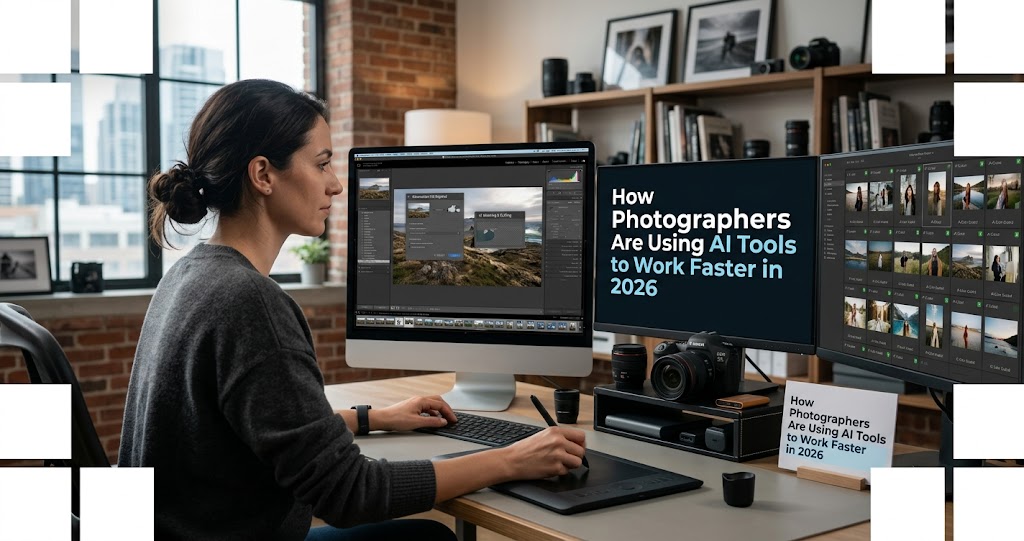
In 2026, AI has fundamentally reshaped how professional photographers work — not by replacing their creative eye, but by automating the repetitive tasks that used to consume hours of every shoot. From culling thousands of wedding photos in minutes to upscaling old family portraits with natural texture, AI tools are saving photographers an average of 15-20 hours per week . Aftershoot, which has processed over 8.8 billion photos for more than 248,000 photographers, claims users save up to 60 days per year by automating post-processing tasks . The key is knowing which tool to use for which job — and maintaining creative control throughout.
The 2026 AI Photography Revolution: By the Numbers
AI adoption in photography has reached a tipping point in 2026. Here's what the data tells us about how professionals are working:
- 248,000+ photographers now use Aftershoot for AI-powered culling and editing, with the platform processing over 8.8 billion images .
- Users report saving up to 60 days per year by automating repetitive post-processing tasks .
- AI culling tools like Narrative Select reduce first-pass culling time by 50–70% compared to manual Lightroom workflows .
- In e-commerce, brands using Photoroom report 93% lower editing costs and 4x faster time to market for product listings .
- Adobe Firefly now offers access to 25+ AI models from Google, OpenAI, Runway, and Black Forest Labs, giving creators unprecedented choice .
Stage 1: AI-Powered Culling — From 2,000 Photos to 200 in Minutes
1 Smart Culling: The Biggest Time-Saver of 2026
The single biggest time-sink in professional photography has always been culling — reviewing thousands of images to select the keepers. A wedding photographer might return with 2,000-3,000 RAW files. Manually reviewing each one in Lightroom can take 4-6 hours. AI culling tools cut that to 30-60 minutes .
How AI culling works: Tools like Aftershoot, Narrative Select, and FilterPixel analyze each image for:
- Sharpness and focus accuracy — flagging soft images automatically
- Eye detection — identifying closed eyes or subjects looking away
- Similar shot grouping — clustering near-identical frames so you pick the best one
- Composition analysis — some tools even assess framing and subject placement
What's different in 2026: Unlike earlier tools that forced photographers to trust black-box algorithms, modern AI culling platforms run locally on your computer — meaning no image data leaves your device. Aftershoot, for example, processes everything on your own hardware and lets you opt out of AI learning models entirely .
Pricing snapshot (2026): Narrative Select starts at $10/month for basic AI culling, with premium tiers up to $60/month for advanced features like personal AI presets . Aftershoot offers subscription plans based on volume.
Stage 2: AI-Powered Editing — Presets That Learn Your Style
2 AI Editing That Adapts to You, Not the Other Way Around
Once you've culled your selects, AI editing tools can apply consistent adjustments across your entire gallery. But 2026 tools go far beyond simple presets — they learn your personal editing style.
How it works: Tools like Aftershoot and Imagen AI analyze your past edits across hundreds or thousands of images. They learn your preferences for exposure, contrast, color temperature, skin tone adjustments, and more. Then they apply those same adjustments to new shoots automatically .
Real-world impact: A wedding photographer who previously spent 3-4 hours editing a full gallery can now review AI-applied edits in 30-45 minutes — tweaking only where needed. The AI gets the images 90% of the way there; the photographer adds the final creative touch.
Local processing matters: Unlike cloud-based editing tools that upload your images to remote servers, leading AI editing platforms in 2026 process everything on your local machine. This means faster performance, no subscription to cloud storage, and — critically — your clients' images never leave your control .
Stage 3: AI Masking and Retouching — Precision at Scale
3 Face ML, Depth Maps, and Intelligent Masks
Perhaps the most impressive AI advancement for portrait and fashion photographers is the arrival of intelligent masking tools. Boris FX Optics 2026 introduced several game-changing ML-powered filters that integrate directly into Photoshop .
Face ML
Automatically detects facial regions — skin, eyes, lips, mouth — and isolates them into distinct masks for targeted retouching without manual masking .
Depth Map ML
Analyzes an image and produces a depth-based mask distinguishing near and far areas, allowing selective blur or color correction based on actual scene depth .
DeNoise ML
Uses deep learning to reduce unwanted noise while retaining fine detail — essential for high-ISO event photography .
UpRes ML
AI upscaling that preserves structure and fine detail, ideal for printing or restoring old photos .
What this means for your workflow: Previously, applying a depth-of-field effect meant manually masking the foreground and background — a process that could take 10-15 minutes per image. With Depth Map ML, you get a usable mask in seconds. Refine it, apply your blur, and move on. For high-volume portrait sessions, this is transformative .
Optics 2026 also introduced a new Photoshop Plugins Panel, a dockable workspace that lets you browse, apply, and adjust filters without leaving Photoshop. This eliminates the export/import cycle that used to interrupt creative flow .
Stage 4: Generative AI — Fill, Remove, and Expand with Text Prompts
4 Conversational AI in Photoshop and Firefly
In March 2026, Adobe rolled out one of its most significant updates in years: conversational AI tools in Photoshop and Firefly that let users edit images through natural language requests .
AI Assistant in Photoshop adds a chat-based interface that interprets natural-language requests and either applies changes automatically or walks users through them step by step. You can type things like "remove this person," "soften the lighting," or "turn the sky purple" — and the AI executes .
On mobile, you can even request edits by voice. Adobe positions this feature as a way for a broad range of users — from students to marketing teams — to complete edits with less manual work and clearer in-app guidance .
AI Markup is another new feature in public beta. It lets you draw directly on an image and pair the selection with a text prompt to control where changes are applied. For example, draw a circle around an area and type "add flowers" — the AI generates flowers only within that selected region .
The Firefly Image Editor has also been updated with a streamlined workspace for generative edits. It now supports Generative Fill (add or replace elements), Generative Remove (delete objects), Generative Expand (change size and aspect ratio), and Generative Upscale (increase resolution) — all accessed through text prompts rather than separate menus .
Perhaps most significantly, Firefly now provides access to more than 25 AI image models, including Adobe's own models and partner models from Google, OpenAI, Runway, and Black Forest Labs. This multi-model approach means you're not locked into a single AI's style — you can choose the model that best fits your creative vision .
Stage 5: Upscaling and Restoration — Breathing Life into Old Images
5 From Low-Res to Print-Ready in One Click
AI upscaling has improved dramatically in 2026. Tools like Topaz Photo AI, Nero AI Video Upscaler, and Optics' UpRes ML can enlarge images by 2x, 4x, or even 6x while preserving — and in some cases reconstructing — fine detail .
Face recovery is a standout feature in the 2026 update of Topaz Photo AI. It reconstructs facial detail in heavily compressed or low-resolution portraits — detail that other tools smooth into an unnatural, plastic look . For photographers working with archival images or old family photos, this is a game-changer.
Video upscaling has arrived: Nero AI Video Upscaler PRO 2026 can enhance videos up to 4K or 8K, remove noise and grain, and even boost frame rates up to 120 FPS for ultra-smooth playback. It offers specialized models for animation, realistic footage, and face enhancement .
Stage 6: Background Removal and Product Photography
6 One-Click Cutouts and Studio-Quality Backgrounds
For product photographers and e-commerce sellers, Photoroom has become the dominant solution. Its AI background removal is trained specifically on products — bottles, electronics, clothing, jewelry — and handles edges, reflections, and transparent materials better than general-purpose tools .
Batch processing is the killer feature: Upload a folder of product images, apply a consistent background and shadow style, export all of them in the dimensions required by Amazon, Shopify, or your marketplace. Brands using Photoroom report 93% lower editing costs and 4x faster time to market for product listings .
AI-generated studio backgrounds with realistic shadows turn a phone snapshot into a professional product shot. You don't need a studio — just a white wall and good lighting. The AI handles the rest .
The Ethics Question: Where Photographers Draw the Line
7 "The Camera Will Always Need You" — AI with Boundaries
As AI tools become more powerful, a philosophical question has emerged: where should the line be drawn? In early 2026, Aftershoot made headlines by publishing a set of AI tenets, explicitly pledging that its software will remain an "assistant" to photographers rather than a "replacement" .
Aftershoot's Three AI Tenets
- Product Focus: The platform is designed to assist with post-shoot logistics rather than replace the creative work of the photographer. The user remains the final decision-maker.
- Data Privacy: Aftershoot does not sell or share photographer data with third parties. Users can opt out of contributing to AI learning models at import.
- Photographer-Led Development: The company's roadmap is influenced by a 'Founders Community' of working photographers.
This commitment follows backlash against other AI companies that have piloted AI headshot generators capable of creating images without a photographer at all. The industry is drawing a clear line: AI that assists photographers is welcome; AI that replaces photographers is not .
2026 AI Photo Tools Quick Reference
Real-World Workflow: A Wedding Photographer's AI-Powered Day
8 From 3,000 RAW Files to Delivered Gallery in Hours, Not Days
Here's how a professional wedding photographer might use AI tools in 2026:
- Import and cull with Aftershoot: 3,000 RAW files → 400 selects in 45 minutes. AI flags closed eyes, soft focus, and groups similar shots .
- Apply AI editing presets: The same Aftershoot workflow applies consistent exposure, contrast, and color adjustments based on the photographer's style. Another 30 minutes of review and tweaking .
- Portrait retouching with Face ML: Open the 50 best portraits in Photoshop, use Optics' Face ML to create skin, eye, and lip masks. Apply targeted adjustments in seconds rather than minutes per image .
- Remove distracting elements with Generative Fill: A photobomber in the background? Select and type "remove person." Done .
- Export and deliver: The entire post-production workflow, which used to take 10-12 hours, now takes 2-3 hours. The photographer spends less time editing and more time shooting — or simply resting.
What's Coming Next: AI Trends to Watch in Late 2026
9 The Future of AI Photography
- Workflow automation integration: Picsart's integration with n8n allows developers to automate entire creative pipelines — from image editing to generative content creation — connecting AI tools to existing workflows .
- Multi-model choice: Firefly's support for 25+ AI models is just the beginning. Expect more platforms to offer model selection, letting photographers choose the AI that best matches their style rather than being locked into a single system .
- On-device processing becomes standard: Privacy concerns are driving a shift toward local AI processing. Aftershoot already operates entirely on your computer; expect other tools to follow .
- AI training datasets: Some platforms now pay photographers to license their images for AI training — with explicit opt-in consent and ongoing royalties. This creates a new revenue stream for photographers who choose to participate .
Final Verdict: AI Is a Tool, Not a Replacement
In 2026, the most successful photographers aren't the ones ignoring AI — they're the ones using it strategically to amplify their creative work. AI handles the tedious, repetitive tasks: culling thousands of images, applying consistent edits across galleries, masking faces for retouching, removing distracting elements, and upscaling low-resolution files. The photographer focuses on the creative decisions: which moments to capture, how to light the scene, which composition tells the story, and the final artistic touch on each hero image.
The tools have never been more powerful. The cost has never been more accessible. And the philosophy from leading AI companies is clear: "The camera will always need you" .
If you haven't yet integrated AI into your photography workflow, 2026 is the year to start. Pick one tool — Aftershoot for culling, Narrative Select for selection, Topaz for upscaling, or Photoshop's AI Assistant for generative edits — and learn it thoroughly. The time savings alone will pay for the subscription many times over.
Getting Started: Your First Month With AI Tools
- Week 1: Try Aftershoot's free trial on a past wedding or event gallery. Compare your manual culling time to AI-assisted culling. Most photographers see 50-70% time savings immediately .
- Week 2: Test Narrative Select on a portrait session. Pay attention to eye detection accuracy and similar-shot grouping .
- Week 3: Experiment with Photoshop's AI Assistant. Practice natural language editing — remove objects, change backgrounds, adjust lighting — by typing what you want .
- Week 4: Try upscaling an older image with Topaz Photo AI or Optics' UpRes ML. See how well it reconstructs detail. If you shoot product photography, test Photoroom's batch background removal .