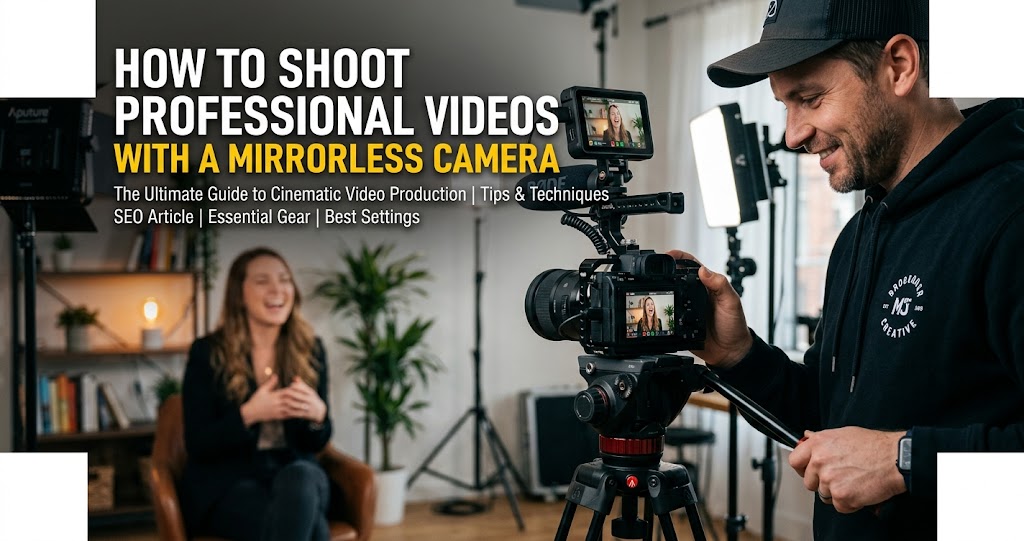
Modern DSLR and mirrorless cameras shoot video rivalling dedicated cinema cameras. The same equipment used for stunning photographs can create broadcast-quality footage with the right technique . Adding video capabilities expands your creative range and business offerings significantly .
By 2026, mirrorless cameras have become essential tools for content creators worldwide . Sensor technology now offers exceptional low-light performance and expanded dynamic range, while autofocus systems powered by artificial intelligence react near-instantly and track subjects with precision . This guide bridges the gap between photography and videography, covering the essential differences in approach, settings, and workflow for professional video .
Essential Camera Settings for Professional Video
1 Master Frame Rates for Different Looks
24fps (frames per second) produces the cinematic motion blur associated with film. This frame rate suits narrative content, music videos, and artistic work .
30fps provides smoother motion for broadcast, corporate video, and online content. It handles movement more cleanly than 24fps .
60fps and higher enable slow motion when played back at standard rates. Shooting 60fps and playing at 24fps produces roughly 2.5x slow motion. Higher rates like 120fps or 240fps create dramatic slow-motion effects .
2 Follow the 180-Degree Shutter Rule
The 180-degree shutter rule states that shutter speed should be double your frame rate to ensure natural motion blur .
Shutter Speed Guidelines
Using faster shutter speeds produces a staccato effect, suitable for high-action sequences or stylized scenes. Slower shutter speeds create exaggerated blur for dreamy or ethereal visuals, but risk softness or ghosting in fast motion .
Pro tip: In bright daylight, use neutral density (ND) filters. They allow wide-aperture shooting while maintaining the correct shutter speed, preserving cinematic motion blur without overexposure .
3 Shoot Flat for Maximum Grading Flexibility
Picture profiles affect the look of footage. Standard profiles produce punchy, ready-to-use results. Flat or log profiles preserve dynamic range for colour grading in post-production .
Shooting in flat, Log, or RAW profiles preserves maximum dynamic range in shadows and highlights . These profiles provide flexibility for color grading, allowing control over contrast, saturation, and tonal balance to craft the best cinematic videos .
If your camera doesn't have Log profiles, use a Neutral or Flat picture style with contrast and saturation turned down. This gives you more room to grade in post-production.
4 Choose Resolution and Codec Wisely
Resolution options determine image detail and file sizes. 4K provides maximum quality for cropping flexibility and future-proofing. 1080p remains broadcast standard with smaller files and easier editing .
Codec selection affects quality and compatibility. H.264 works universally with smaller files. H.265 improves quality at similar file sizes but requires more processing power . ProRes and RAW options on some cameras provide maximum quality for professional workflows .
5 Never Neglect Audio Quality
A high-resolution 4K image means little if dialogue is muffled, distorted, or drowned out by background noise. Viewers are quick to click away when they can't understand what's being said .
In-camera microphones produce unusable audio for serious work. Built-in mics capture camera handling noise, autofocus motors, and sound from behind the camera rather than in front .
External Microphone Input
Non-negotiable. Ensures you can connect lavalier or shotgun mics .
Manual Audio Controls
Ability to adjust input levels, monitor sound via headphones, and avoid clipping .
Pro tip: Monitor audio levels during recording. Most cameras display level meters. Aim for peaks around -12dB to avoid distortion while maintaining strong signal .
6 Master Every Stabilization Method
In-body stabilisation (IBIS) in many mirrorless cameras compensates for camera movement. This technology has improved dramatically, making handheld shooting viable in many situations .
Lens stabilisation works alongside or instead of body stabilisation. Stabilised lenses particularly help with longer focal lengths where movement magnifies .
Tripods provide rock-solid stability for interviews, tutorials, and any static shots. Use fluid head tripods for smooth panning and tilting .
Gimbals enable smooth movement shots impossible handheld. These motorised stabilisers create cinematic camera movement but add complexity and cost .
The latest DJI RS 5 features the 5th-Generation RS Stabilization Algorithm with up to a 50 percent increase in motor torque, ensuring stable footage even during intense camera movements .
Lighting for Professional Video
7 Master Three-Point Lighting
The three-point lighting setup is a proven technique, often used in the film industry to give video a professional look .
Budget-friendly version: Use a window as your key light, a white foam board as fill, and avoid overhead lights that create shadows under eyes .
8 Control Light Quality and Color
Soft light keeps edges smooth and tiny details clear. Avoid hard top light that makes harsh shadows on subjects . Use softboxes or LED panels for smooth, even light .
Use side light to bring out texture on surfaces. Try flags to cut light on overly bright spots. Keep ISO low to reduce noise and keep clean images .
Color temperature refers to the warmth or coolness of the light. Mixing different scenic color temperatures can create tension or harmony, depending on the story's needs .
- Warm light (Yellow/Orange): Creates intimacy, warmth, and comfort
- Cool light (Blue): Adds distance, coldness, or unease
Use gels or Kelvin adjustments (3200K–5600K) to create mood. Maintain consistent color temperature across shots to prevent visual dissonance .
Composition and Camera Movement
9 Use a Variety of Shots for Coverage
While photographers typically hunt for a single 'hero shot', video requires a different mindset known as coverage—a sequence of varied angles designed to be edited together to tell a story .
Leading space provides room for subjects to look or move into. A person facing left should be positioned right of centre with space in their gaze direction .
Headroom describes space above subjects. Too much looks odd. Too little feels cramped. Moderate headroom with eyes roughly one-third from the top typically works well .
Shot size variety maintains visual interest. Wide shots establish context. Medium shots show subjects clearly. Close-ups emphasise emotion and detail. Mixing sizes keeps viewers engaged .
10 Add Movement with Purpose
Every camera movement should serve the story—approaching, circling, or retreating from subjects communicates emotion, perspective, and narrative focus. Random movements risk breaking viewer immersion .
- Pan: Pivots horizontally left/right on a fixed point
- Tilt: Pivots vertically up/down
- Dolly: Physically moving toward or away from subject
- Tracking: Moving alongside or with a subject
Use tools like gimbals, sliders, or steadicams for smooth, stable footage. Stabilized shots eliminate shake and enable dynamic tracking essential for cinematic video .
11 Never Cross the Line
The 180-degree rule is a filmmaking guideline that sets an imaginary line between characters in order to ensure consistent orientation. If you "cross the line," you may disrupt the audience's understanding of spatial relations in the scene .
Once you establish the axis of action (e.g., two characters talking), keep your camera on one side of that imaginary line. This maintains screen direction and prevents viewer confusion.
Professional Workflow and Post-Production
12 Plan for High-Speed Data Management
Integrating mirrorless cameras into your workflow also means adapting to the realities of massive file sizes—especially when working with high resolutions and increased frame rates. Modern storage solutions and editing software have evolved to accommodate these demands, but you'll still need to plan for robust, high-speed data management .
Wireless connectivity now allows you and your team to control cameras, adjust settings, and monitor footage right from a tablet or phone, leading to better collaboration and faster decision-making .
- Invest in high-speed CFexpress or SD cards
- Back up footage immediately after shooting
- Use redundant storage (at least two drives)
- Organize footage with consistent naming conventions
- Consider cloud backup for critical projects
13 Streamline Your Post-Production
Real-time image previews let you experiment with creative filters and color grades as you shoot, narrowing the gap between capture and finished product. This streamlined process saves time and allows you to make confident artistic choices on the spot .
Many DPs now use features such as real-time LUT previews for on-set color decisions, focus mapping tools for tracking depth in complex scenes, and integrated wireless sync for audio and lighting gear .
When editing, follow this sequence: rough cut, fine cut, color grade, sound design, final export.
14 Grade with Intent
Contrast, hue, saturation, and exposure adjustments unify the visual style. Using LUTs (Look-Up Tables) strategically creates professional tones while preserving highlight and shadow detail .
Maintaining exposure, white balance, and tonal cohesion across scenes ensures visual continuity, preventing breaks in cinematic immersion. Consistency strengthens the overall professional look of the project .
Software recommendations: DaVinci Resolve (free version is incredibly powerful), Final Cut Pro, Adobe Premiere.
2026 Professional Video Trends
15 Embrace 2026 Mirrorless Advantages
By 2026, mirrorless cameras offer exceptional low-light performance and expanded dynamic range, letting you capture the nuances of any scene. Paired with improved autofocus algorithms, these cameras help you keep fast-moving subjects in crisp focus, no matter how complex the action is .
In-body image stabilization is now a staple feature, providing steady footage and making it easier to film in challenging environments. With 8K video now widely accessible, you have the resolution to crop or reframe shots during post-production without sacrificing image quality .
The vast ecosystem of lenses and accessories built for mirrorless cameras means you have your pick of native and third-party lenses that support a wide range of cinematic looks, focal lengths, and creative effects .
Common Mistakes to Avoid
Do
- Use 24fps and double shutter speed for cinematic motion
- Shoot in flat or Log profiles for grading flexibility
- Monitor audio levels and use external microphones
- Light with intention—three-point lighting transforms any scene
- Plan for high-speed data management and backups
Don't
- Don't rely on in-camera microphones—audio will be unusable
- Don't use auto white balance—it kills mood and consistency
- Don't cross the 180-degree line unless intentional
- Don't forget B-roll—you'll need it for editing
- Don't neglect data management—lost footage is permanent
Your 7-Day Video Challenge
- Day 1: Master settings—shoot at 24fps, 1/50s, flat profile. Compare to auto settings .
- Day 2: Audio setup—use an external mic, monitor levels, aim for -12dB peaks .
- Day 3: Practice three-point lighting with household items .
- Day 4: Shoot coverage of a simple scene—wide, medium, close-up .
- Day 5: Practice camera movements—pan, tilt, dolly, tracking .
- Day 6: Edit your footage—rough cut, fine cut, color grade.
- Day 7: Complete a 1-minute video with proper audio and color.
Final Thoughts
The best camera is the one you have with you, and today's mirrorless cameras are incredibly capable video tools. With the right techniques—proper settings, good audio, thoughtful lighting, and intentional movement—you can produce professional video content that stands out .
The world of filmmaking has been completely transformed by the evolution of mirrorless cameras. By 2026, these compact and powerful devices have become essential tools for creators everywhere . Adapting to this new reality means staying up-to-date with hardware innovations and continuously refining your workflow .