How many times have you reviewed a photo you just took on your camera's rear LCD, telling yourself that you nailed focus only to realize that it's actually a bit soft when zooming in on it at your larger computer screen? Don't worry... we've all been there . The truth is that there are all sorts of reasons why your photos end up looking blurry or lacking that razor sharpness .
If you want to elevate your work from ordinary to professional, your images should be crisp, clear, and in focus, with detail preserved as in the actual scene . That is why knowing how to get sharp images on camera is important for every professional . This comprehensive guide covers everything—from focus modes and shutter speed rules to aperture sweet spots and stability techniques—so you can capture tack-sharp photos with any camera.
Focus Mastery: Getting It Right in Camera
1 Choose the Right Autofocus Mode
One of the biggest factors in getting sharp images is using the correct autofocus mode for your subject . The majority of cameras have several options :
- Single-point AF (AF-S or One-Shot AF): A single point is ideal for capturing still objects such as portraits or landscapes . Lock in the camera focus by half-pressing the shutter .
- Continuous AF (AF-C or AI Servo): Ideal for capturing moving objects like sports or wildlife . The camera tracks your subject continuously .
- Dynamic or zone focus (AF-A): Best when your subject may move slightly, such as children or animals .
Common mistake: Taking a picture with multiple focus points often results in less sharp images . Always use a single point of focus when you intend to get a sharp image with clear subject isolation . Place the focus point directly on the most important detail, such as the nearest eye in a portrait .
2 Master Manual Focus for Tricky Situations
Autofocus may not work well in certain situations, particularly in low-light conditions or when capturing images through glass or nets . Manual focus gives you better control in these instances, allowing you to adjust details by zooming into the live view screen .
Focus peaking: This feature highlights the edges of the subject in focus using bright colors, making manual focusing faster and more accurate . The camera detects high-contrast edges and marks them with colors like red, blue, or yellow . Sharper edges appear brighter, and highlights update instantly as you adjust focus .
Focus peaking is especially useful in low-light environments, with lenses that have shallow depth of field, and when using vintage or manual lenses that don't have autofocus .
3 Use a Fast Enough Shutter Speed
The shutter speed you choose is one of the most critical settings for your composition . If you're handholding your camera and you really need to nail focus, sacrifice the amount of light you can let in and drop your shutter speed to 1/250 sec or faster .
The inverse focal length rule: A helpful guideline is to use an exposure time equal to or shorter than the inverse focal length of your lens . For example, at 50mm use 1/50th of a second or faster .
For moving subjects, increase shutter speed even further. People walking often require at least 1/250 sec for crisp detail . For sports or fast action, start with 1/400s and consider speeds like 1/1000s to freeze motion .
4 Find Your Lens's Sharpest Aperture
Every camera lens works best roughly at 2-3 stops down from its widest aperture . This number often comes around f/8 and can deliver the best performance for any particular lens .
Avoid using the extremes of either f/1.4 or f/22 unless required . The sharpest lenses are found within the f/5.6 to f/8 range, where diffraction has minimal effect and the depth of field remains sufficient . Many lenses are sharpest between f/5.6 and f/8—this range often provides a balance between depth of field and optical clarity .
Stability: The Foundation of Sharpness
5 Use a Tripod for Maximum Stability
It is necessary to stabilize your camera when taking shots . New cameras come with next-generation stabilization technologies, but still, there is no denying that your camera needs assistance from outside . Invest in a good tripod, especially if you're into long exposures or telephoto shots .
Even tripods can fail: In some cases, tripod legs extended too far during very windy conditions can introduce just enough movement and vibration to negatively impact sharpness . Similarly, photographing on sand or unstable ground can affect stability despite your best efforts .
Pro tip: If it's windy, hang your camera bag from the center hook to add weight and stability .
6 Master Proper Camera-Holding Technique
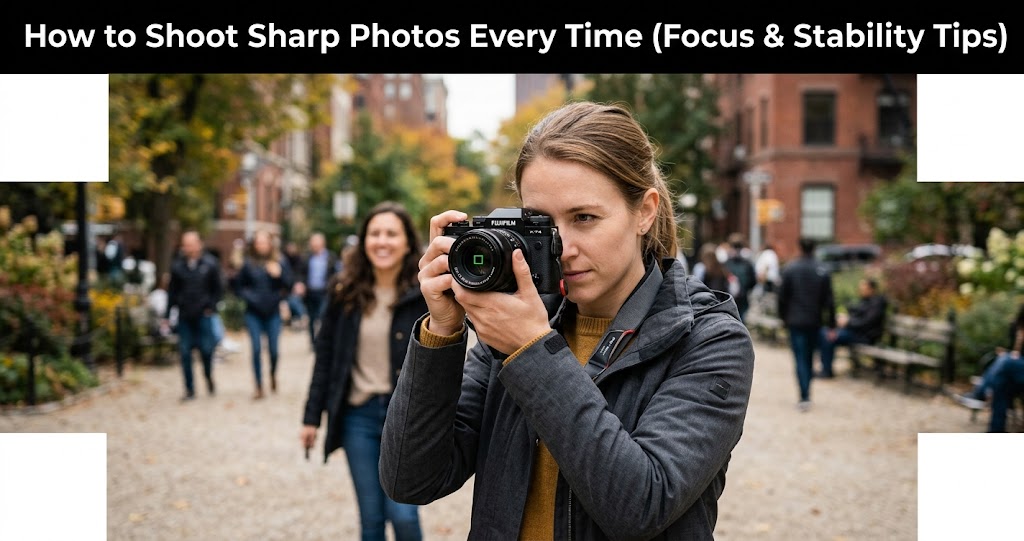
The simplest cause of soft images is camera movement . Hold the camera with both hands—one hand holding the camera body, the other supporting the lens . Tuck your elbows slightly inward against your body . Place your feet shoulder-width apart to provide a solid base .
When taking a photo, gently press the shutter button, trying not to move the camera . Breathe calmly—many photographers recommend exhaling slowly as you press the shutter .
If possible, lean against a wall or stable surface . A tripod provides the most reliable solution, but everyday support works too .
7 Use a Remote Shutter or Self-Timer
A remote shutter isn't mandatory, but it's definitely useful . Pressing the shutter button directly can introduce camera shake—even if you're using a tripod . A remote (or your camera's built-in timer) avoids this and helps you get tack-sharp results .
If you don't have a remote, a 2-second self-timer works great . You'll be surprised how incredibly convenient it is to use and take stable shots .
8 Understand When to Use Stabilization
Image stabilizers in lenses and camera bodies can significantly reduce blurring caused by hand shake . They allow you to shoot at slower shutter speeds without losing focus .
Important: When using a tripod, turn off image stabilization—the mechanism can generate micro-vibrations that blur sharp lights during long exposures .
Advanced Techniques and Settings
9 Keep ISO as Low as Possible
At lower ISOs, such as ISO 100 and 200, all the details remain, but less noise is produced . A bigger ISO would make the picture brighter, but this might decrease the sharpness .
Low ISO values provide the highest image quality with minimal noise, which promotes sharpness . It is advisable to use the lowest possible ISO that still allows you to get the right exposure and sharpness in your photo .
If light is limited, raise ISO moderately rather than lowering shutter speed too far . Slight grain is often preferable to motion blur .
10 Invest in Quality Glass
The lens is the eyes of your camera, and if it is not capable, it can bottleneck your entire setup, no matter how good your lighting is and how expensive the camera body is . A good-quality lens can never be ignored if you want sharper stills and clearer videos .
Prime lenses are often sharper than zooms, as they consist of fewer moving parts and finer optics . An example of a 50mm f/1.8 would be many, but not all, sharper than an entry-level kit zoom . Quality lenses have improved glass coating and structure, which minimizes flare and chromatic aberration, thereby increasing detail .
Lens sharpness: Most lenses are sharpest in the center of the frame . Use this to your advantage by composing your subject in the middle .
Sharp Photography Settings Cheat Sheet
Post-Processing for Sharpness
11 Sharpen Selectively in Post
Post-processing can enhance perceived sharpness, but it cannot fix missed focus . Use sharpening tools carefully—over-sharpening creates halos and unnatural edges .
In Lightroom: Use the sharpening tool and the mask slider to avoid over-sharpening every single detail .
In Photoshop: Try the Unsharp Mask filter .
Selective sharpening: Sharpening should not be attempted on the whole image . Rather, enhance the quality of major parts such as eyes, textures, or edges with a soft background .
Warning: Never sharpen too much—it may leave halos or put too much focus on noise . Potency is important—be natural and not contrived .
Common Mistakes to Avoid
Do
- Use single-point AF for precise focus
- Match shutter speed to subject movement
- Find your lens's sharpest aperture (often f/5.6–f/8)
- Use a tripod for long exposures
- Turn off stabilization when on tripod
- Keep lenses clean—a smudge-free lens makes a huge difference
Don't
- Don't rely on camera AF in low light—use manual focus
- Don't shoot at too wide an aperture unless needed
- Don't handhold below 1/focal length
- Don't over-sharpen in post—it creates halos
- Don't ignore lens diffraction at f/16+
- Don't press the shutter abruptly—apply steady pressure
Real-World Example: From Soft to Sharp
Case study: A photographer was shooting a person at f/1.8 with their head slightly turned. Because the plane of focus was so narrow, when reviewing the photo, they saw that the portion of the face closer to the camera was in focus while the area just behind was lacking sharpness . The solution was to stop down to f/4, which gave enough depth of field to keep the entire face sharp while still maintaining pleasing background blur.
Your 7-Day Sharpness Challenge
- Day 1: Practice single-point AF—shoot 50 portraits focusing only on the eye.
- Day 2: Test shutter speeds—shoot the same moving subject at 1/60, 1/250, and 1/1000.
- Day 3: Find your lens's sweet spot—shoot a test chart at every aperture from f/1.4 to f/16.
- Day 4: Perfect your handholding technique—try to get sharp shots at 1/15s with proper stance.
- Day 5: Use a tripod for everything—even daytime shots.
- Day 6: Practice manual focus with focus peaking in low light.
- Day 7: Edit one photo with selective sharpening only.
Final Thoughts
Sharpness is not about perfection; it's about control and understanding how each small adjustment shapes the final image . When technique, light, and timing align, images gain a crisp quality that feels intentional rather than accidental .
The better you can get at identifying what the optimal exposure settings are for your particular subject and environment, the more likely you'll get a sharp photo . Remember, it's not about the price of the camera, but about understanding and applying these principles . Consistency in your settings and adapting to your shooting scenario will yield sharp, high-quality images every time .